.svg)
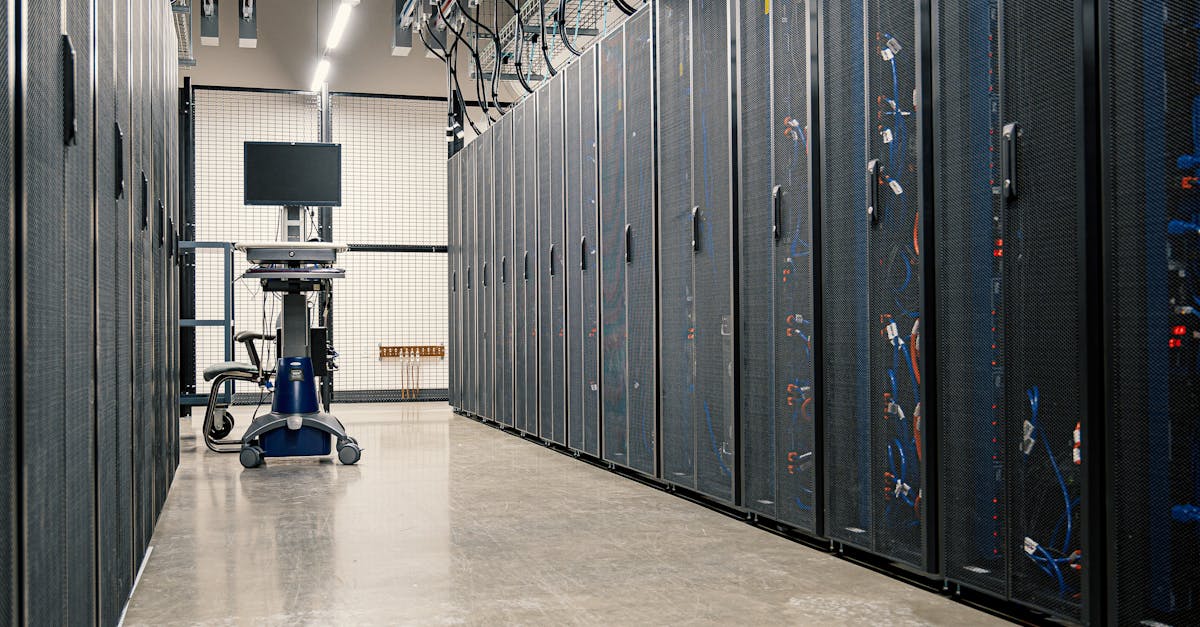
Enterprise AI infrastructure: from proof of concept to production
87% of AI projects never reach production. Not because the models don't work. Not because the algorithms are wrong. The science works. The reason is infrastructure complexity that wasn't planned for, compliance requirements that emerged after the proof of concept was approved, and GPU costs that escalated from $5,000 a month to $200,000 a month before anyone saw it coming.
This is the central challenge in enterprise AI infrastructure: the gap between a working pilot and a production system is not a technical gap. It is a planning gap. Close that gap before you write the first line of production code, and you have a clear path to becoming part of the 13% that succeeds.
This guide covers the strategic and technical decisions that separate production AI deployments from failed pilots — infrastructure architecture, GPU cost management, Kubernetes deployment patterns, and a practical decision framework for enterprise teams.
Table of contents
- 87% of AI projects fail to reach production due to infrastructure complexity, compliance requirements, and cost escalation — not technical model failures.
- Enterprise AI requires dedicated infrastructure, compliance alignment, and full audit trails that consumer AI services cannot provide.
- GPU costs for a single production model can reach $57,000 per month on major cloud providers; hybrid architecture and GPU pooling reduce that by 50–70%.
- Kubernetes is the industry-standard orchestration layer for enterprise AI, enabling portability, autoscaling, and multi-tenancy across GPU workloads.
- Get one production model running in six months. Do not wait 18 months for the perfect platform.
Table of contents
Why 87% of AI projects never reach production
The statistic appears across years and independent sources. Gartner cited an 85% failure rate in 2019. Algorithmia's State of Enterprise ML survey put it at 87%. A 2025 MIT study found 95% of generative AI pilots failed to achieve measurable business impact. Capgemini put enterprise AI pilot failure at 88%.
These are not outliers. They describe a consistent pattern across industries and time.
What is striking is where the failures originate. Algorithmia's breakdown shows 42% of failed projects cite infrastructure complexity as the primary challenge. 31% hit regulatory or compliance roadblocks that appeared after the proof of concept was approved. 28% could not manage cost unpredictability. 26% struggled with data governance. Notice what is missing: model accuracy, algorithm quality, and technical failure do not appear in this list. The models work. The infrastructure and governance weren't ready.
Building successful enterprise AI infrastructure starts with treating these as first-class requirements — not afterthoughts to address after the proof of concept proves the model.
What makes AI enterprise-grade
Consumer AI and enterprise AI share the same underlying models. They differ in everything else.
Four requirements define enterprise-grade AI deployment.
Scale. You are not serving 10 users. Enterprise deployments serve hundreds or thousands of users simultaneously. Systems need 24x7 availability and must process terabytes or petabytes of data. Throughput requirements at this scale demand dedicated infrastructure, not shared cloud services.
Compliance. Every regulated industry has requirements that apply directly to AI. HIPAA in healthcare. SOC 2 in financial services. GDPR for any system that touches EU citizens. Public AI services often provide limited compliance guarantees and run on shared infrastructure where your data leaves your control.
Integration. Enterprise AI does not run in isolation. It integrates with legacy systems, existing workflows that thousands of employees depend on, and data governance frameworks that took years to establish. This integration work is frequently underestimated in proof of concept timelines.
Accountability. When an AI system makes a decision, someone must be able to explain why. That requires audit trails, human oversight mechanisms, and model versioning. "The algorithm said so" is not an acceptable answer in a regulated enterprise environment.
This is why private AI infrastructure matters for enterprise deployments. Dedicated infrastructure gives you control over data, compliance alignment, and predictable performance. Public AI services give you speed. They do not give you governance.
The proof of concept to production gap
Every enterprise AI team eventually faces this gap — even if they didn't anticipate it when the pilot was approved.
DimensionProof of conceptProduction requirementComputeLaptop or single GPUGPU clusterDataSample datasetFull data with governanceLatencyBest effort200ms SLA, 99.9% uptimeAccessDeveloper onlyHundreds of users, RBACAudit trailNoneComplete logging for complianceModel updatesAd hocCI/CD pipeline with versioningComplianceBypassedHIPAA / SOC 2 / GDPR enforcedCost monitoringNoneChargeback by team
Every line in this table represents work that someone did not budget for when the proof of concept was approved. The model worked. The infrastructure did not exist yet.
A pattern common in healthcare AI deployments illustrates how this unfolds. Months one through three: a data scientist builds a patient readmission risk model at 89% accuracy, running in the cloud for $5,000 a month. Month four: legal gets involved. HIPAA compliance is non-negotiable. Patient data cannot leave the organization's data center. The system needs 99.9% uptime. Multiple hospitals need access, not one. That $5,000 a month becomes a $200,000 a month estimate. The three-month proof of concept becomes an 18-month infrastructure project requiring a full enterprise infrastructure team.
The 87% who fail did not plan for production when they approved the pilot. The 13% who succeed plan for production from day one.
The real cost of enterprise AI infrastructure
GPU costs are the single largest shock in enterprise AI deployments. Understanding the real numbers before you commit to an architecture is not optional — it is the difference between a sustainable program and one that gets cancelled at the budget review.
GPU pricing on major cloud providers
An NVIDIA A100 — the standard GPU for production AI — costs between $3.67 and $4.10 per hour on AWS, Azure, and Google Cloud. Running 24x7, that is approximately $2,700 to $3,000 per GPU per month.
A typical production model requires 16 GPUs for training plus 4 GPUs for inference serving. At a blended rate of $2,850 per GPU per month:
Scale to five production models — modest for an enterprise — and you are looking at $285,000 per month, or $3.4 million per year. This is the cost shock that kills AI projects that successfully cleared the proof of concept stage but never had an honest production cost conversation.
GPU vs CPU inference: where the savings are
Not every model requires GPU inference. Choosing incorrectly wastes tens of thousands of dollars per model per year.
Use GPU inference when models exceed 1 GB in size, sub-100-millisecond latency is required, or throughput exceeds thousands of requests per second. Use CPU inference when models are under approximately 100 MB, batch processing is acceptable, and requests are occasional rather than continuous.
For a million requests per day, GPU inference costs approximately $36,000 per year. CPU inference costs approximately $3,600 per year. That is a $32,000 annual difference per model. Multiply across a portfolio and the impact on total infrastructure cost is significant.
Three patterns that make production AI work {#patterns}
These patterns are proven in production deployments operating hundreds of AI workloads at scale. They are not theoretical.
Pattern 1: Hybrid cloud architecture
Use cloud infrastructure for training, where burst capacity matters most. Use dedicated private infrastructure for inference, where compliance, latency, and cost control drive the decision.
Training jobs are batch workloads. They need burst GPU capacity for days or weeks, then nothing until the next training cycle. Cloud burst capacity fits that profile. Inference is a continuous workload. It runs 24x7, serves SLA-bound requests, and processes sensitive production data. That workload belongs on infrastructure you control.
Hybrid architecture delivers cloud flexibility for training and enterprise control for inference. Most organizations do not have to choose between speed and compliance — they need both in different parts of the stack.
Pattern 2: GPU pooling with multi-instance GPU
Dedicated GPUs per team sit idle 80% of the time on average. You pay for capacity that is not being used.
NVIDIA's Multi-Instance GPU (MIG) technology, available on the A100, divides a single physical GPU into up to seven independent instances. Each instance has dedicated memory and dedicated compute. Multiple workloads share one physical GPU without interfering with each other.
The result: GPU utilization rises from approximately 20% to 75%. That is a 50 to 70% cost reduction using the same hardware with the same capabilities. No new procurement. No new budget cycle.
Pattern 3: Model quantization for inference
Quantization converts model weights from 32-bit floating point to 8-bit integer precision. Most models do not require full precision for inference. The results are significant:
Applied together, these three patterns can reduce enterprise AI infrastructure costs by more than half while maintaining production performance and compliance requirements.
Kubernetes: the infrastructure foundation for enterprise AI {#kubernetes}
Kubernetes has become the standard orchestration layer for enterprise AI infrastructure. Four capabilities explain why.
Portability. Write your model serving configuration once. Deploy it on AWS, Azure, Google Cloud, or on-premises without rewriting the configuration. Kubernetes is the abstraction layer that prevents vendor lock-in.
Scale. Autoscaling when load increases, load balancing across replicas, self-healing when containers crash. These are built-in capabilities, not custom engineering work.
GPU management. The NVIDIA GPU Operator installs drivers and container runtimes automatically. Kubernetes treats GPUs as schedulable resources alongside CPU and memory. Pods request exactly what they need; the scheduler places them on appropriate nodes.
Ecosystem. Kubeflow for ML pipelines. KServe for model serving. MLflow for experiment tracking. Prometheus and Grafana for metrics and dashboards. Every major ML tool integrates with Kubernetes. Teams assemble proven components rather than building infrastructure from scratch.
The full ML pipeline in Kubernetes runs five stages: data preparation on CPU nodes, distributed training on GPU nodes, model validation, deployment via KServe, and monitoring that feeds back into retraining triggers. Every stage runs on the same cluster with the same tooling. That consistency eliminates the environment gap between development and production.
KServe: production model serving in 20 lines
KServe is the Kubernetes-native standard for model serving. A minimal KServe InferenceService provides autoscaling from zero to n replicas based on load, canary deployments for safe version rollouts, model versioning, and built-in latency and throughput monitoring. What takes months to build from scratch takes 20 lines of YAML configuration with KServe.
GPU vs CPU: the decision that determines your budget {#gpu-vs-cpu}
Training always requires GPUs. Running training jobs on CPUs takes weeks instead of hours for production-scale models. Most production workloads need 8 to 32 GPUs for reasonable training times.
Inference is where the decision gets nuanced — and where most teams overspend.
GPU scheduling in Kubernetes works through resource requests and limits in pod specifications. The node selector field targets specific GPU types. GPU nodes carry taints that prevent non-GPU workloads from being accidentally scheduled there. Pod tolerations allow GPU workloads to schedule onto those nodes. Behind this, the NVIDIA device plugin exposes GPUs as countable resources to the Kubernetes scheduler.
For teams running multiple models across shared GPU hardware, MIG partitioning changes the economics. On an NVIDIA A100, you can partition into seven small instances (10 GB memory each), four medium instances (20 GB each), or two large instances (40 GB each) — or a custom mix. This flexibility lets teams right-size compute for each workload rather than allocating a full physical GPU to a model that uses 15% of its capacity.
The AI storage architecture supporting GPU workloads matters equally. Bottlenecks in data throughput to the GPU are as costly as GPU underutilization. Tiered NVMe and HDD storage with GPUDirect support ensures compute stays fed and utilization stays high.
Multi-tenant enterprise AI infrastructure {#multi-tenancy}
Enterprise AI is not one team running one model. It is multiple teams — data science, engineering, compliance, research — each running different workloads with different resource needs and different data access requirements.
Multi-tenant infrastructure addresses this through namespace-based isolation in Kubernetes.
Each team gets a dedicated namespace — a virtual cluster within the physical cluster. Resource quotas set hard limits per team: number of GPUs, CPU cores, memory, and maximum pods. Kubernetes rejects any request that would exceed those limits. One team cannot consume another team's infrastructure budget.
Role-based access control (RBAC) restricts each team to its own namespace. Network policies prevent cross-namespace traffic by default. Teams only communicate with services you explicitly permit.
A typical allocation pattern for a mid-sized enterprise might look like this:
TeamGPU quotaCPU quotaPrimary workloadsData science16 GPUs128 CPUsModel training, experimentationEngineering4 GPUs64 CPUsInference serving, CI/CDFinance8 GPUs64 CPUsFraud detection, risk modelsResearch16 GPUs128 CPUsExperimental workloads
Cost allocation by namespace
Multi-tenancy without cost visibility does not drive efficiency. Tracking GPU hours, CPU hours, storage, and network egress by namespace gives teams visibility into their real infrastructure cost. It enables chargeback to business units, encourages workload optimization, and provides the data infrastructure leaders need to justify GPU investment to finance.
Open-source tools like Kubecost and OpenCost handle namespace-level cost tracking without requiring a commercial platform.
For enterprises with regulated workloads, this isolation model is how teams running AI infrastructure for healthcare can operate multiple clinical workloads — patient risk modeling, medical imaging analysis, clinical decision support — on shared infrastructure while maintaining HIPAA-compliant data boundaries between projects.
How industry shapes architecture decisions {#industry-decisions}
The same technology stack — Kubernetes, GPUs, ML pipelines — deploys in fundamentally different ways depending on what each industry cannot compromise on.
Financial services typically chooses hybrid architecture: cloud for training (burst capacity, retraining on new transaction data) and on-premises for inference. SOC 2 compliance requirements demand tight control over data. Fraud detection requires sub-50-millisecond response times — a round trip to a public cloud API adds unacceptable latency. Processing millions of transactions per day at cloud API rates is prohibitively expensive at scale.
Healthcare almost always deploys on-premises for production inference. HIPAA is not negotiable: patient data cannot leave the organization's control. Research can use de-identified data in cloud environments, but production clinical systems stay on-premises. Data sovereignty and audit requirements drive every architecture decision.
Manufacturing uses true hybrid plus edge. Factory floor systems need edge computing for real-time control — you cannot wait for a cloud round trip when controlling a robotic arm. Model training on historical maintenance data and supply chain analytics that do not require real-time response run in the cloud.
There is no universally correct enterprise AI architecture. There are only trade-offs chosen deliberately based on your constraints, your risk tolerance, and your compliance requirements. The 87% who fail let circumstances choose their architecture for them. The 13% who succeed choose it deliberately.
A decision framework for enterprise AI deployment {#decision-framework}
Before choosing any architecture, answer three questions.
Question 1: What are your non-negotiables?
HIPAA compliance, data sovereignty, sub-100-millisecond latency, and cost ceilings are all legitimate non-negotiables. Identify them before the architecture conversation starts. Non-negotiables eliminate options; they do not choose between the remaining ones.
Question 2: What is your risk tolerance?
How much do you value data control versus deployment speed? Are you prepared to build and operate infrastructure, or do you need a fully managed option? Can you accept vendor lock-in for faster time to production?
Question 3: What does success look like in six months?
Get one production model running in six months. Not a perfect platform in 18 months. Deploy one model, learn from it, optimize it, and scale. The 87% failure pattern often includes organizations that spent 18 months building infrastructure before deploying anything — only to discover the compliance requirements or cost structure did not match what production actually demanded.
Kubernetes provides the abstraction layer that makes this incremental approach viable. Start with Docker Compose for the proof of concept. Migrate to Kubernetes for production. Scale from there without rebuilding your architecture from scratch.
Frequently asked questions {#faq}
Why do most AI proofs of concept fail to reach production?
The primary reasons are infrastructure complexity that was not planned for during the pilot phase, compliance requirements that emerged after the proof of concept was approved, and GPU costs that escalated significantly when the full production workload was estimated. Technical model failures are not the primary cause — the models typically work. The infrastructure and governance were not ready.
What separates enterprise AI infrastructure from public AI services?
Public AI services run on shared infrastructure, put your data outside your direct control, offer best-effort performance with no SLA guarantees, and have limited compliance certifications. Enterprise AI infrastructure uses dedicated or isolated resources, keeps data under your control, provides SLA-backed uptime and response times, and supports HIPAA, SOC 2, GDPR, and other compliance frameworks.
How much does enterprise AI infrastructure cost to run in production?
A single production model requiring 16 GPUs for training and 4 GPUs for inference serving costs approximately $57,000 per month on major cloud providers. GPU pooling with MIG technology, hybrid cloud architecture, and model quantization can reduce that cost by 50 to 70% while maintaining the same production capabilities.
What is multi-instance GPU (MIG) and how does it reduce AI infrastructure costs?
MIG is an NVIDIA technology that divides a single physical GPU into up to seven independent instances, each with dedicated memory and compute. Multiple workloads share expensive GPU hardware without interfering with each other. Production deployments typically see GPU utilization rise from 20% to 75%, resulting in a 50 to 70% cost reduction using the same hardware.
Why is Kubernetes the standard orchestration layer for enterprise AI?
Kubernetes provides portability across cloud providers and on-premises environments, built-in autoscaling and self-healing, GPU-aware resource scheduling, and integration with the full ML tooling ecosystem including Kubeflow, KServe, MLflow, and Prometheus. It allows teams to move from development to production with the same infrastructure layer, eliminating environment-specific failures and vendor lock-in.
When should an enterprise use on-premises vs cloud infrastructure for AI?
Cloud infrastructure is typically better for training workloads, where burst GPU capacity is needed for limited periods. Dedicated private infrastructure is typically better for inference workloads, where continuous operation, compliance requirements, latency SLAs, and predictable costs matter most. Most enterprises use a hybrid model: cloud for training, dedicated private infrastructure for production inference.
Start with one model. Build from there.
The gap between a working proof of concept and a production enterprise AI infrastructure deployment is not primarily a technical challenge. It is a planning challenge. Infrastructure complexity, compliance requirements, and GPU cost structures are all knowable before you commit to an architecture — if you ask the right questions at the right time.
The 13% of enterprises that successfully deploy production AI do not have better models or larger budgets. They have better planning. They understand compliance requirements before the pilot starts. They design for production infrastructure from day one. They commit to getting one model to production in six months rather than waiting 18 months for a perfect platform.
Ready to design enterprise AI infrastructure that reaches production? Schedule an architecture review with OneSource Cloud to define the right deployment model for your workloads, compliance requirements, and cost targets.
